Cat5e speed is officially rated for 1 Gbps over a 100-meter (328-foot) Ethernet channel. The cable operates at a rated bandwidth of 100 MHz. Faster 2.5 GbE and 5 GbE connections are also possible with compatible hardware and suitable installed cabling. Direct answer: Cat5e supports 1000BASE-T at 1 Gbps for up to 100 meters. IEEE 802.3bz also enables 2.5GBASE-T and 5GBASE-T on existing twisted-pair cabling under qualifying conditions. For dependable 10 Gbps service, use Cat6 for shorter runs or Cat6a for the full 100 meters.
Cat5e Speed and Distance at a Glance
Ethernet cable ratings describe the cable’s electrical performance rather than your internet speed. A 1 Gbps cable cannot make a 300 Mbps internet plan deliver 1 Gbps. Your final throughput depends on every device and connection between your computer and the destination.
| Ethernet mode | Nominal link rate | Typical Category 5e support | Maximum channel length |
|---|---|---|---|
| 10BASE-T | 10 Mbps | Supported | 100 m / 328 ft |
| 100BASE-TX | 100 Mbps | Supported | 100 m / 328 ft |
| 1000BASE-T | 1 Gbps | Standard supported application | 100 m / 328 ft |
| 2.5GBASE-T | 2.5 Gbps | Supported on qualifying installations | Up to 100 m |
| 5GBASE-T | 5 Gbps | Possible on qualifying installations | Up to 100 m in suitable channels |
| 10GBASE-T | 10 Gbps | Not the normal Category 5e application | Upgrade recommended |
The 100-meter channel normally includes permanent cable plus patch cords at each end. A common structured-cabling layout uses about 90 meters of permanent cable. The remaining allowance covers patch connections and equipment cords.
Cat5 vs Cat5e vs Cat6 vs Cat6a vs Cat7 vs Cat8
Cable categories should be compared by speed, frequency, and supported distance together. A higher MHz number alone does not tell you your internet speed. The Ethernet standard and cable length matter equally.
| Category | Maximum commonly specified Ethernet speed | Rated bandwidth | Maximum length at listed top speed |
|---|---|---|---|
| Cat5 | 100 Mbps | 100 MHz | 100 m / 328 ft |
| Cat5e | 1 Gbps* | 100 MHz | 100 m / 328 ft |
| Cat6 | 10 Gbps | 250 MHz | Up to 55 m / 180 ft at 10G; 100 m at 1G |
| Cat6a | 10 Gbps | 500 MHz | 100 m / 328 ft |
| Cat7 | 10 Gbps | 600 MHz | 100 m / 328 ft |
| Cat8 | 25/40 Gbps | 2,000 MHz | 30 m / 98 ft |
*2.5GBASE-T and 5GBASE-T can operate over suitable existing Category 5e channels. Those multi-gigabit rates should not be treated as guaranteed on every older installation. Cat7 also deserves a U.S.-specific clarification. It is recognized within ISO/IEC cabling systems but is not a TIA category used like Cat6a. U.S. buyers planning conventional RJ45 installations usually have clearer choices with Cat6, Cat6a, or Cat8. For more consumer hardware coverage, Magazinezine maintains a dedicated Technology section. Its hardware articles can also help explain why port specifications matter alongside cable ratings. Ethernet performance always depends on both sides of the connection.
Can Category 5e Run at 2.5 Gbps or 5 Gbps?
IEEE 802.3bz introduced 2.5GBASE-T and 5GBASE-T for networks needing more than Gigabit Ethernet. These standards were designed partly around existing copper installations. They let many networks gain capacity without immediately replacing every cable. A suitable Category 5e channel can support 2.5 GbE at distances reaching 100 meters. Five-gigabit operation can also work over qualifying installed channels. Cable bundling, alien crosstalk, termination quality, and channel condition become more important at that rate. This distinction matters when planning an upgrade. A switch showing a 5 Gbps link proves that specific connection negotiated successfully. It does not prove every cable in the building will support the same rate. For new installations needing predictable multi-gigabit headroom, Cat6a offers more margin. It is also the straightforward choice for 10GBASE-T at 100 meters. Existing cable should be tested before replacing it simply because the jacket says Category 5e.
Why Your Real-World Ethernet Speed Can Be Lower
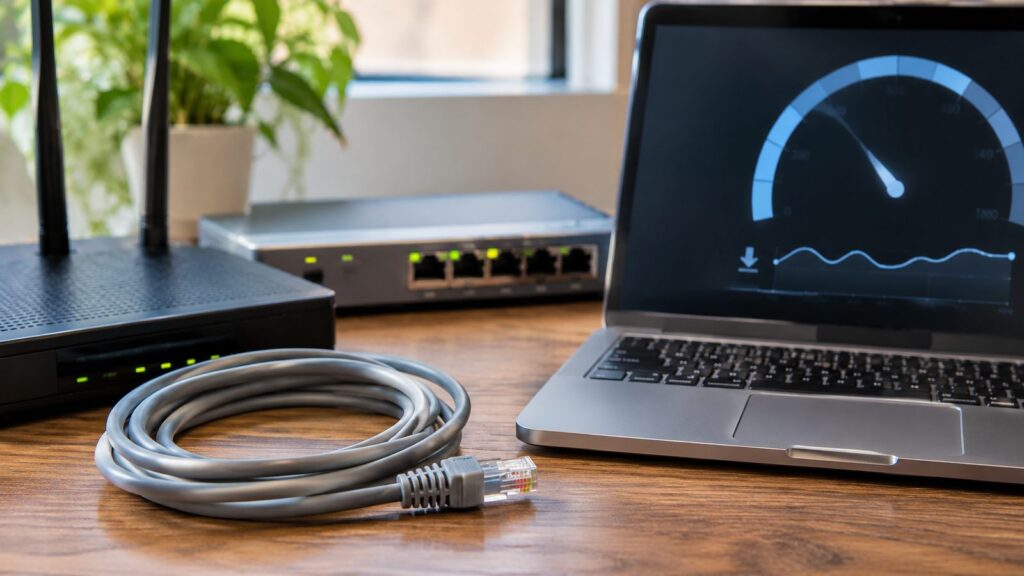
Cable capacity is only one part of the connection. Your network normally operates at the speed supported by its slowest important component. Several common bottlenecks can make a Gigabit-rated cable appear slower.
Your ISP plan can be the limit
A 1 Gbps Ethernet link does not guarantee a 1 Gbps internet connection. Your service plan may provide 100, 300, or 500 Mbps instead. Internet congestion and remote server capacity can reduce measured throughput further.
Your router, switch, or network adapter may have slower ports
Check the port specifications on every device in the path. A 100 Mbps Ethernet port will cap that connection near its negotiated rate. Multi-gigabit service also requires compatible 2.5G, 5G, or 10G ports. Higher-end computers sometimes include much faster wired networking. Magazinezine’s Mac Studio hardware overview discusses models equipped with 10 Gigabit Ethernet. A faster computer port still needs matching network equipment and suitable cabling.
Wi-Fi can become the bottleneck
Testing over Wi-Fi does not measure the Ethernet cable alone. Wireless results change with distance, interference, channel width, client capability, and neighboring networks. Run important cable tests through a direct wired connection. Modern laptops may rely heavily on wireless networking. Magazinezine’s MacBook Pro M2 overview covers Wi-Fi connectivity alongside other hardware features. Keep wired link rate and wireless throughput separate when troubleshooting.
Poor terminations can force a slower link
Gigabit Ethernet uses all four twisted pairs in the cable. A damaged conductor or bad connector can prevent proper Gigabit negotiation. Some faults may cause equipment to fall back to 100 Mbps. Bent cable, excessive untwisting, damaged jacks, and poor punch-down work can also affect signal quality. Installed structured cabling should be tested after termination. Replacing a patch cord is often a useful first troubleshooting step.
CCA cable is not the same as standards-compliant copper
Cheap Ethernet cable sometimes uses copper-clad aluminum, usually called CCA. ANSI/TIA and ISO/IEC Category cabling specifications require copper conductors. CCA has greater electrical resistance and can create problems with data and PoE. Pure copper is especially important for permanent runs and powered devices. Higher resistance means more voltage loss and additional heating. Avoid assuming a printed category label makes CCA equivalent to compliant copper cabling.
How to Test Your Ethernet Connection
Start with a direct connection between your computer and the router or switch. Disconnect Wi-Fi during the test so traffic cannot use the wireless interface. Use a known-good cable before diagnosing permanent wiring. Then check the negotiated link speed in your operating system. Windows displays the Ethernet link speed through network adapter properties and modern network settings. macOS users can inspect Ethernet hardware details through system information or network tools. Next, run an internet speed test through the wired connection. Compare that result with your ISP plan and negotiated Ethernet rate. A speed test measures internet throughput, while the OS link rate measures the local Ethernet connection. For local-network troubleshooting, transfer a large file between capable wired devices or use a network throughput tool. This removes the ISP from the test path. Avoid publishing assumed throughput figures because storage and protocol overhead differ between systems. If a connection negotiates at only 100 Mbps, inspect the cable and connectors first. Try another known-good patch cable and another Gigabit-capable port. Persistent problems in permanent wiring may require a qualified cable tester.
Does Category 5e Support PoE?
Yes, compliant Category 5e copper cabling can carry Power over Ethernet. PoE standards send electrical power alongside data to devices such as access points, cameras, and phones. IEEE 802.3bt uses all four pairs for higher-power PoE applications. High-power installations require more attention to conductor resistance and cable heating. Large bundles can retain heat, especially under heavy electrical loads. Cat6a is often preferred for demanding new PoE deployments because its construction offers greater performance margin. CCA cable should not be substituted for standards-compliant copper in PoE installations. Its higher resistance increases heat and voltage loss. Use properly rated solid-copper cabling that meets applicable installation and fire codes.
When Should You Upgrade?
Keep your existing cabling if it reliably delivers the performance your network requires. A working 1 Gbps connection is enough for many U.S. homes and small offices. Replacing cable without identifying a real bottleneck may provide no noticeable benefit. Consider upgrading when you need:
- Reliable 10 Gbps networking over longer building runs.
- New permanent wiring expected to remain installed for years.
- Multi-gigabit access points or workstations needing predictable performance.
- Higher-power PoE across large cable bundles.
- Replacement for damaged, uncertified, or CCA wiring.
- More performance margin in electrically noisy installations.
Cat6 can be sensible for Gigabit networks and shorter 10G runs. Choose Cat6a when you need 10 Gbps across the full 100-meter channel. Cat8 usually belongs in short data-center connections rather than normal residential horizontal cabling.
Frequently Asked Questions
What is the maximum Cat5e speed?
The standard headline rate is 1 Gbps using 1000BASE-T over 100 meters. Multi-gigabit Ethernet can extend useful performance beyond that rating on suitable installations. Five-gigabit results depend more heavily on channel conditions and installation quality.
Can it handle 10 Gbps?
It is not the recommended cable for 10GBASE-T installations. Cat6 can support 10 Gbps on shorter links, commonly up to about 55 meters. Cat6a supports 10 Gbps across the full 100-meter channel.
Is Cat6 automatically faster for internet use?
Not necessarily. Changing the cable cannot exceed your ISP plan or network port limits. A healthy Gigabit connection can perform the same over suitable Cat5e and Cat6 wiring.
Why does my Ethernet connection show 100 Mbps?
A faulty pair, bad termination, damaged cable, or 100 Mbps port can cause that result. Gigabit Ethernet requires all four pairs to work correctly. Test another cable and verify both connected ports support Gigabit Ethernet.
Is 100 MHz the same as 100 Mbps?
No, they measure different things. MHz describes the cable’s signaling bandwidth, while Mbps describes a data rate. You should not convert one directly into the other.
Bottom Line
A standards-compliant Category 5e installation remains capable of 1 Gbps at 100 meters, which still covers many home and office networks. Suitable links may also support 2.5 GbE or 5 GbE with compatible equipment. You should verify the negotiated link rather than assuming the cable is limiting performance. Upgrade when your network has a defined requirement that existing wiring cannot meet. For dependable 10 Gbps over shorter runs, Cat6 can work. For 10 Gbps across 100 meters, Cat6a is the safer specification. —